
Your team
From the first message to enrolment, seen from your console
Everything Sofia* produces comes back to your console, in eight languages.
* or any other first name you choose
A prospect’s journey, in six steps
A student writes to Sofia on your website. Here is what your team sees in the console, from their first message to their enrolment.
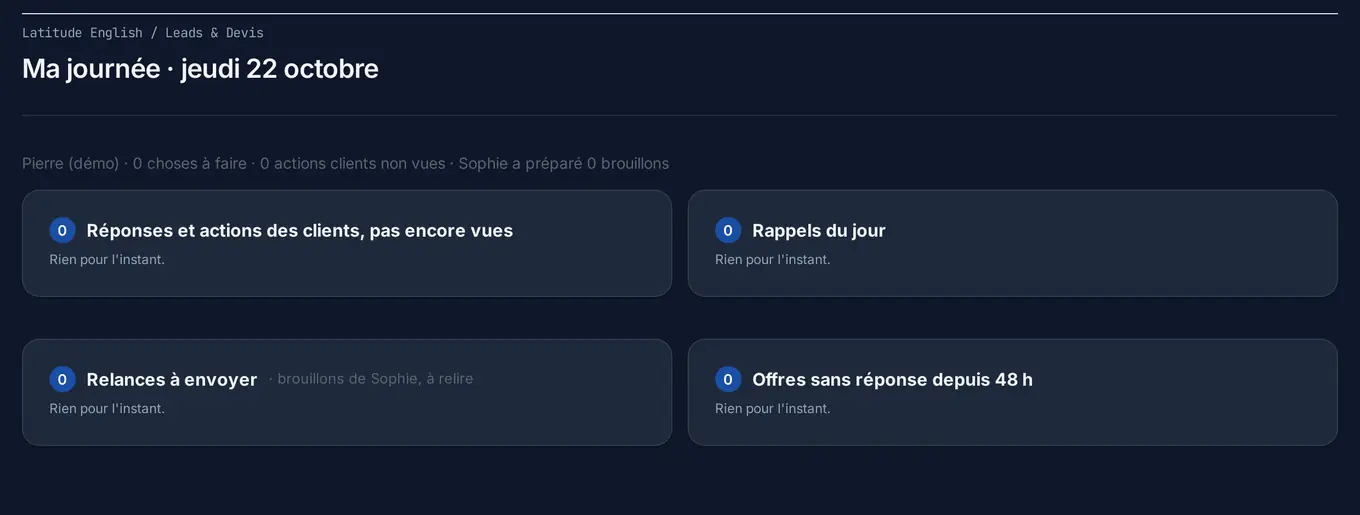
1. My day
Your console opens on “My day”: it tells you which file to start with. You see at once what is waiting for your attention.
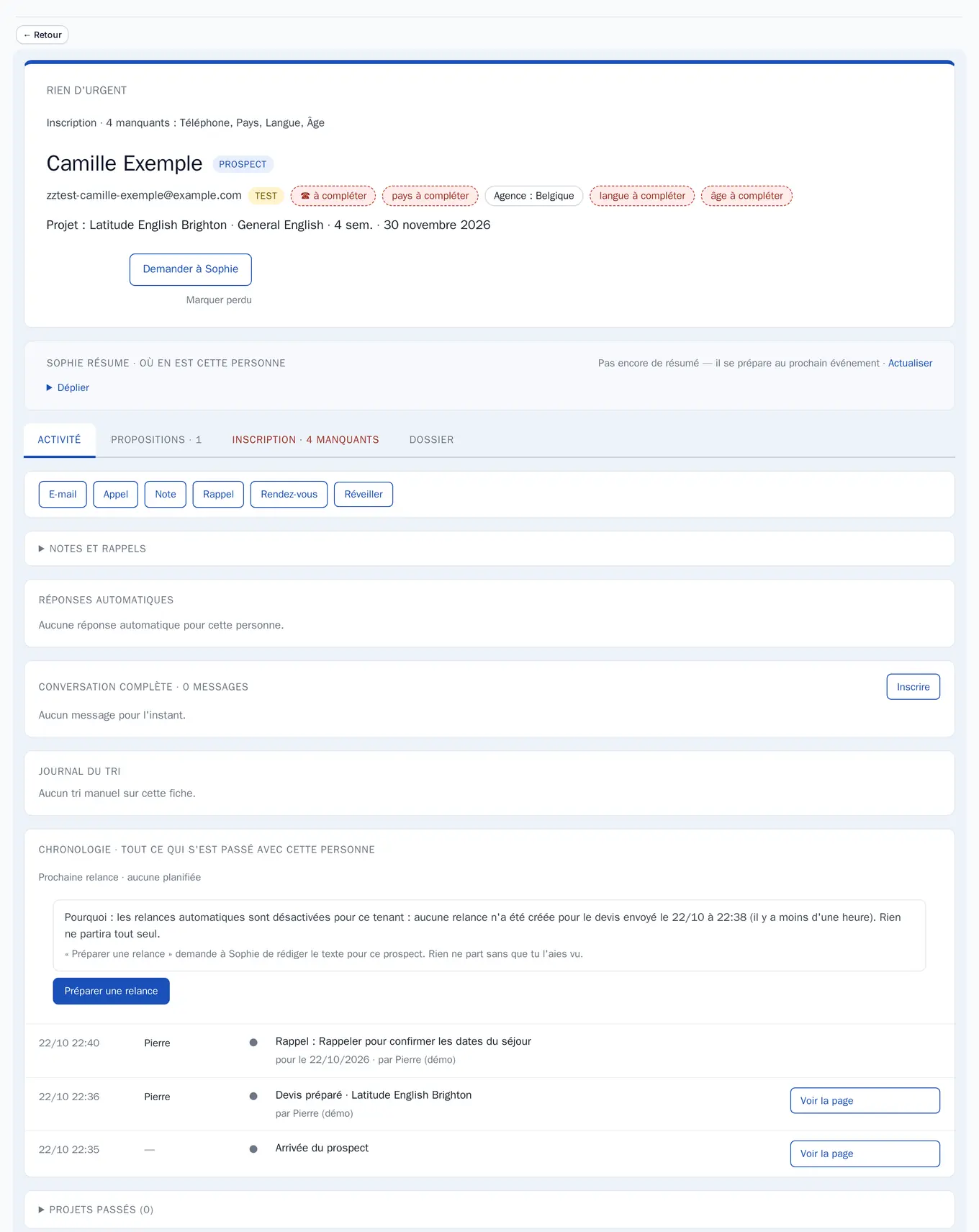
2. The file
Every prospect has their file: their full thread, subtitled in your language even when Sofia is speaking Japanese, and the quote she sent them.
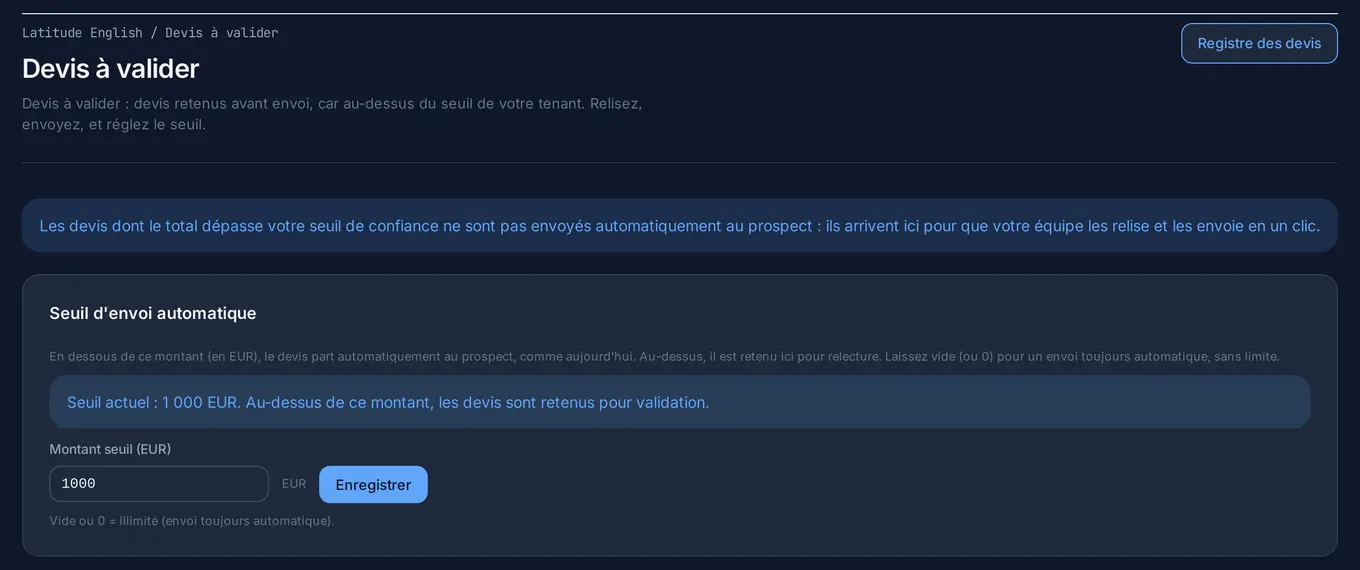
3. The quote
Above your threshold, the quote waits for your review; below it, it goes out on its own. You set the amount in your console: like a new recruit, Sofia is cautious at first and given more room as she proves herself.
4. The follow-up
When a prospect stops replying, Sofia prepares a follow-up. You read the full text, you can change the sending date, and a general brake applies to all follow-ups.
5. The reply to an e-mail
When a prospect answers their quote by e-mail, Sofia drafts the reply from the whole thread. You hold it back, or it goes out on its own within the delay you set — and what you preview is exactly what is sent.
6. The enrolment
When the student says yes, Sofia gives them their enrolment link. They enrol online, accept your terms and receive their summary; the file lands in your console, ready to be confirmed in one click.
The quote becomes an enrolment without anyone retyping a single line.
Two tools for your team, during the call
The quote dictated into a microphone
A prospect calls you? In “Create a quote”, you describe their stay by keyboard or by microphone: the fields fill in and the price is calculated in real time, while you are talking to them.
“Ask Sofia”
Your team puts questions to Sofia directly during a call: factual answers about schools, prices and conditions, market by market.
Campaigns: you write once
You write a message once; every prospect receives it in their own language. And last year’s prospects wake up at the right moment.
You see everything — and take over whenever you want
Conversations unfold before your eyes in your console, subtitled in your language even when Sofia is speaking Japanese. You whisper her an instruction backstage; she takes it on board and answers the prospect in theirs. Or you take the keyboard, and hand it back.
When a prospect replies to their quote by email, Sofia drafts the answer from the whole thread. It goes out on its own or after review, within the deadline you set — and what you preview is exactly what is sent.
When the student says yes, Sofia gives them their enrolment link. They enrol online, accept your terms, receive their summary; the file lands in your console, ready to be confirmed in one click. The quote becomes an enrolment without anyone retyping a single line.
The console: everything Sofia produces comes back to you
One console per school, fully separated, in eight languages.
My offer
Your campuses and residences — address, opening hours, contacts, team —, your courses, fees and transfers; the state of your offer school by school (what is missing, what is ready to sell); your availability; your programmes outside the catalogue (high school, camps, 50+) described without a calculated price.
Pricing and promotions
You drop your rate sheet as a PDF, a photo, an Excel or a CSV file: the AI extracts it, you check it, it enters your catalogue course by course, option by option, and every import is checked before it enters your catalogue. Permanent or one-off promotions, regional pricing by country, deposit by programme type.
Prospects and sales
“My day”: which file to start with. Every prospect has their file, their full thread subtitled in your language and their quotes. Quotes above your threshold wait for your review; the others go out on their own. Campaigns: you write once, every prospect receives the message in their language — and last year's prospects wake up at the right moment.
Sofia, my advisor
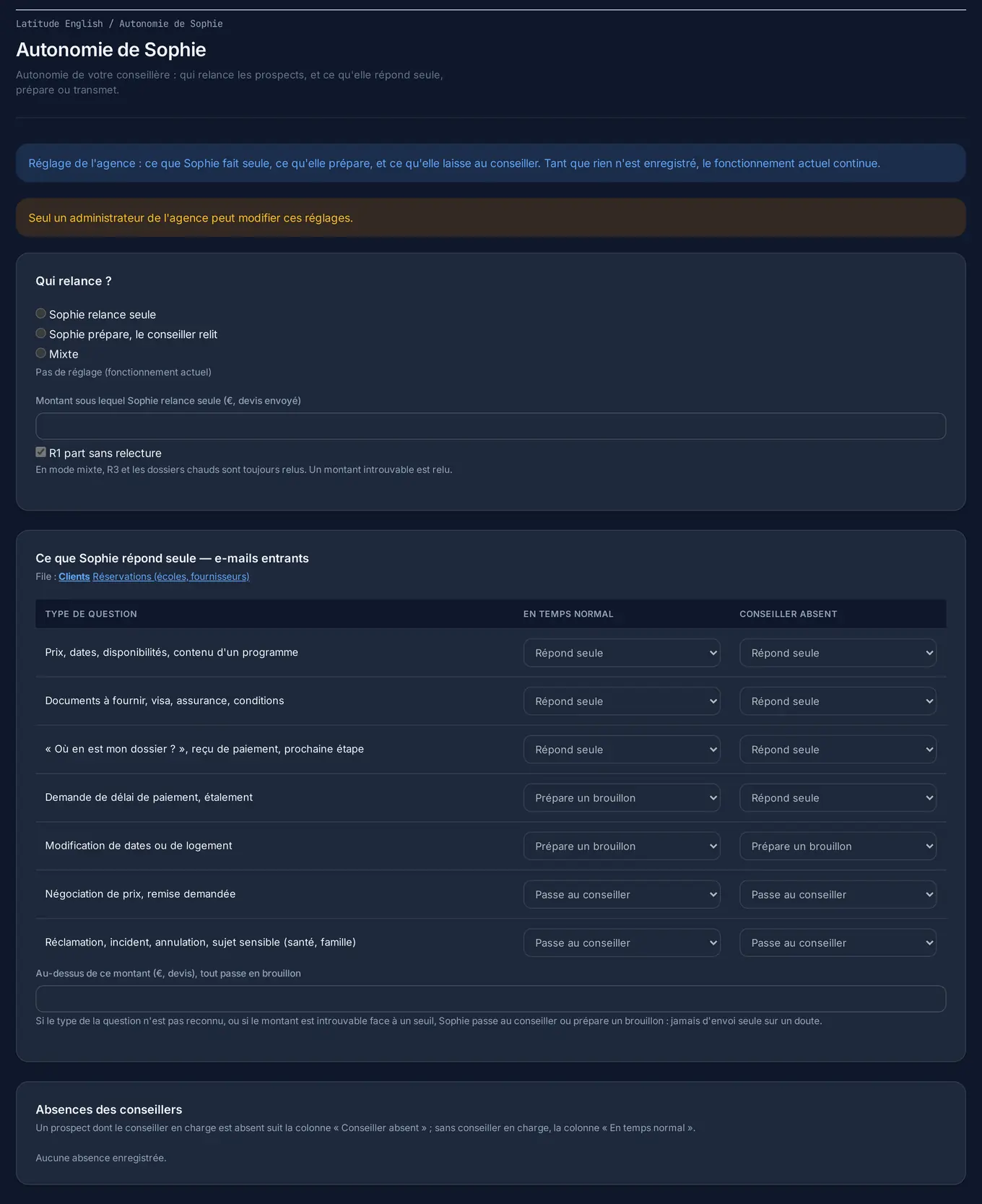
Her first name, her tone, her look, her currency, the services to push and your target markets, the pages of your website she may quote, the products she describes without pricing them — and her autonomy: what she sends alone, what she prepares, what she leaves to your team.
My website
The text of each course type, written once for all your schools; a school's facts dictated and shaped by the AI without inventing anything — a figure that contradicts your profile blocks the save until you confirm it; the page tree and the history of every text.
My team
Users and roles (supervisor, sales), e-mail templates. One console per school, fully separated, in eight languages.
What you enter is the authority. Never a price, never a fact about your school comes from anywhere but your data.
We set up your school. You watch it run.
You send us your price lists and your catalogue, even as PDFs. Nothing to retype: our team sets everything up, and your school is ready to test within days, with your real data and your real prices.
From US$249 a month per channel — no minimum term.
Thank you — request received
We read every request personally and get back to you very quickly.